🖐 Welcome, trader! 🖐
Welcome to Tethermax, the #1 crypto exchange cashback platform.
Invest an average of 3 minutes and 30 seconds
to find out how much more you paid in fees on Toobit!
♾️Visit Tethermax Official Website
🖐Curious about TetherMax benefits?
① Maker 0.02%, Taker 0.06%
② We return 70% of the fees you paid
Effective fee after cashback: Maker 0.006%, Taker 0.018%
🙏 Don't miss out on cashback!
Trading without cashback is like losing money.
We highly recommend you to get cashback.
🖐 Create Your TetherMax Cashback Account
📌 You can create up to one Toobit account per person. 😀
- You may use one of the following for KYC verification: National ID Card, Driver's License, or Passport.
📌 Please contact TetherMax 24/7 Customer Support if any of the following apply
- You entered the wrong Referral Code.
- You signed up without entering a Referral Code.
- You already have a Toobit account.
📌 What You Need & How to Create a Toobit Cashback Account
- Prepare an email address or mobile phone number to use for your new account.
- Prepare an ID document for KYC verification.
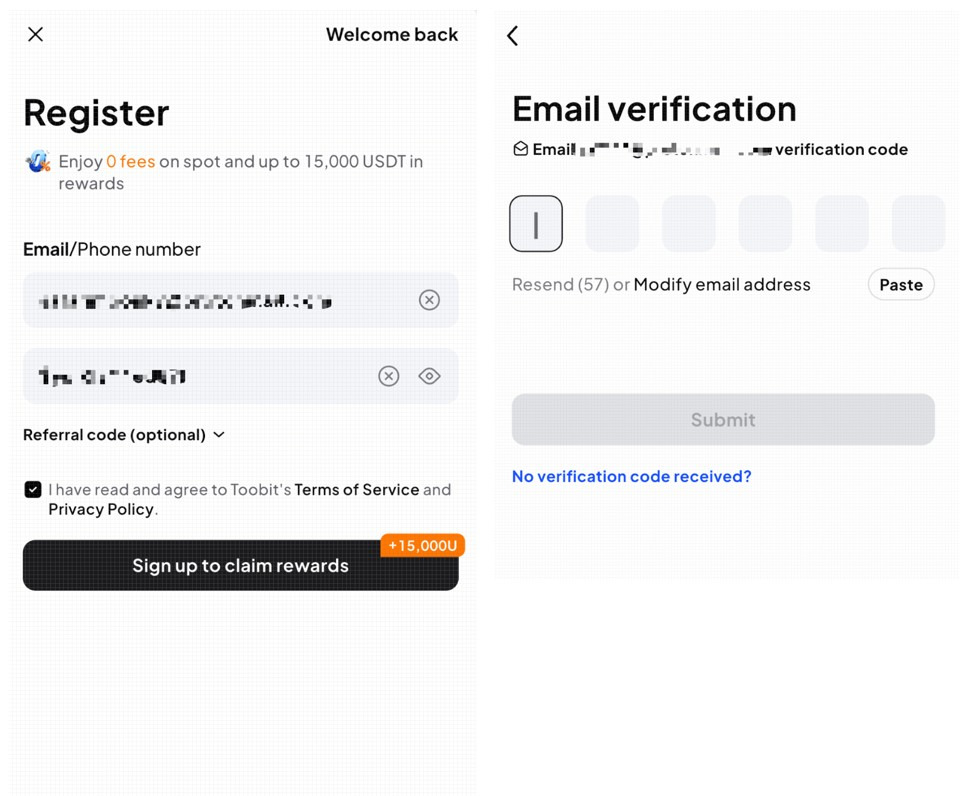
- Click [Create a Cashback Account] and proceed with the sign-up process.
- Enter your sign-up information and check the Referral code: cvrpBT
- Enter your email address/mobile phone number and password, then make sure the Referral code: cvrpBT has been entered correctly.
- Agree to the Terms and Conditions, then click ‘Sign up to claim rewards’.
- Enter the verification code sent to your email.
- After entering the verification code, click ‘Submit’.
📌 Cashback Activation
To receive cashback, you must register through a sign-up link that includes the TetherMax referral code.
Before completing registration, make sure the Referral Code on the sign-up page is set to cvrpBT.
🙋 Need Help?
If you have any questions regarding KYC verification, deposits, withdrawals, or trading, please contact the [TetherMax 24/7 Customer Support] team anytime.

📌 How to Complete KYC Verification
Once your email verification is complete, follow the steps below.
1️⃣ Click the profile icon in the upper-left corner of the home screen.
2️⃣ Click ‘Authenticate’ on the My Page screen.
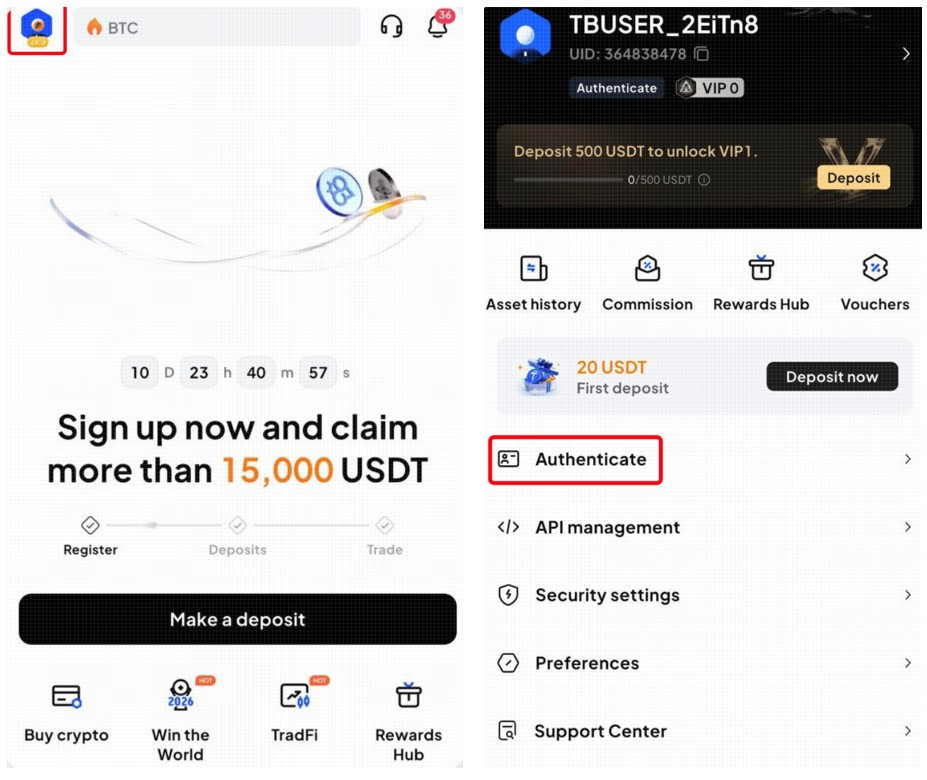
3️⃣ On the Authenticate page, click the ‘Authenticate’ button to start the basic verification process.
4️⃣ Select your country and ID document type, then click ‘Next’.
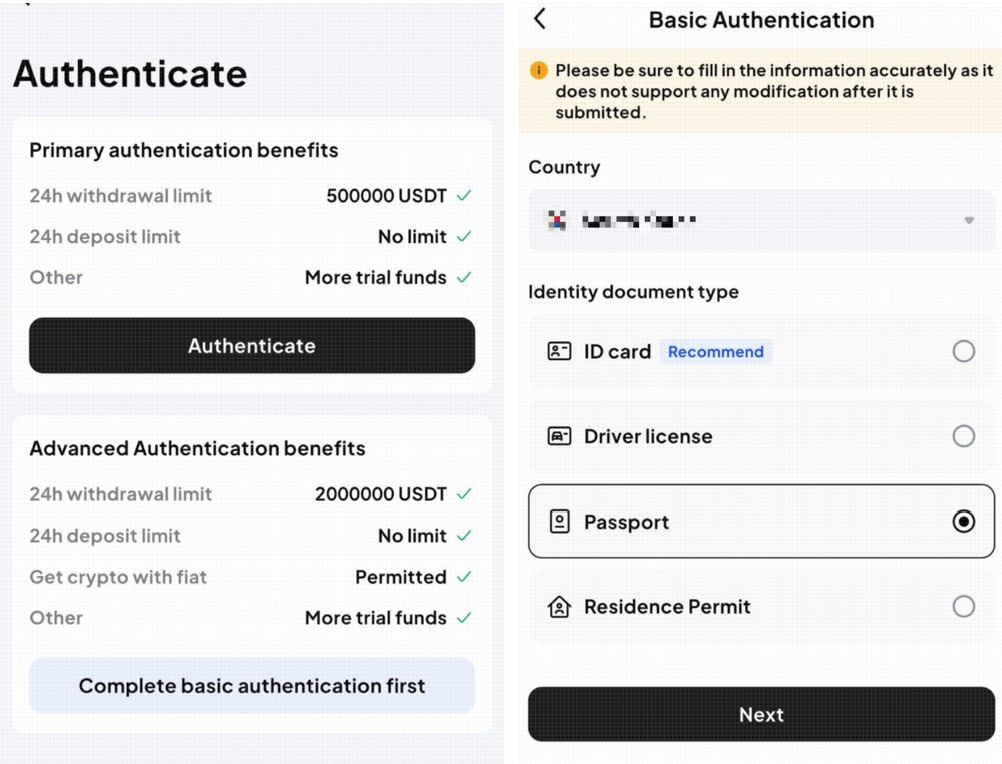
5️⃣ Enter your name and ID (passport) number, then click ‘Submit’.
6️⃣ Take a photo of the front of your ID, then click ‘Document is readable’.
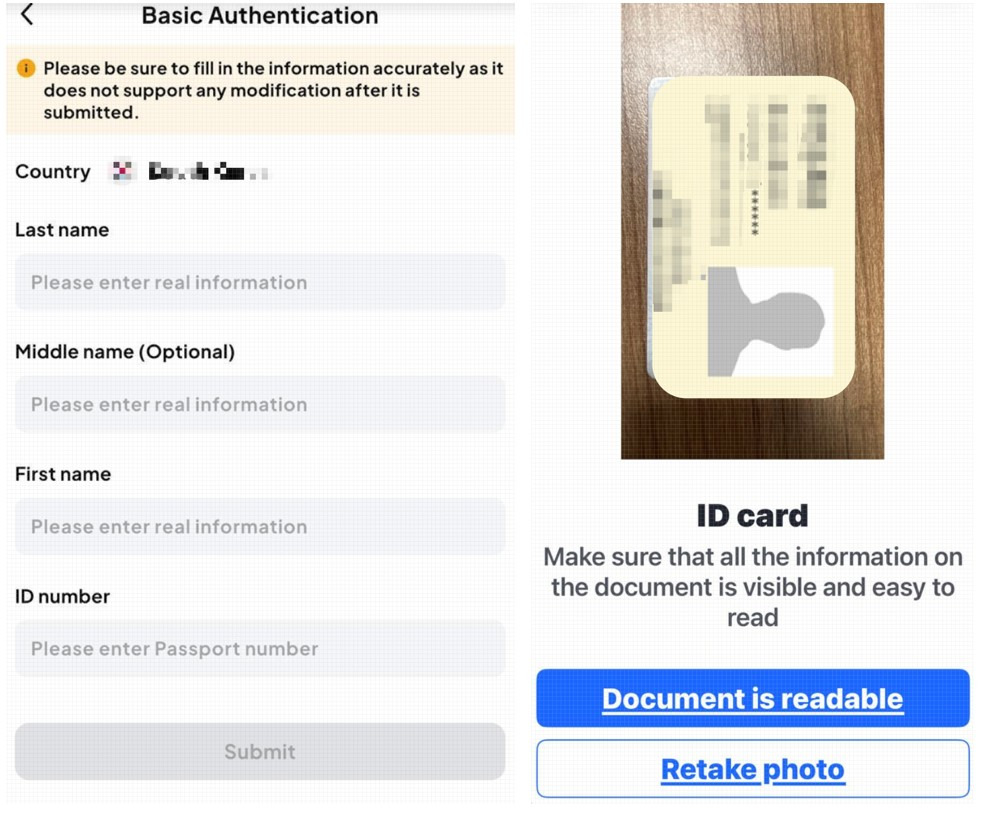
7️⃣ Take a photo of the back of your ID, then click ‘Document is readable’.
8️⃣ Look straight ahead and complete the facial verification.
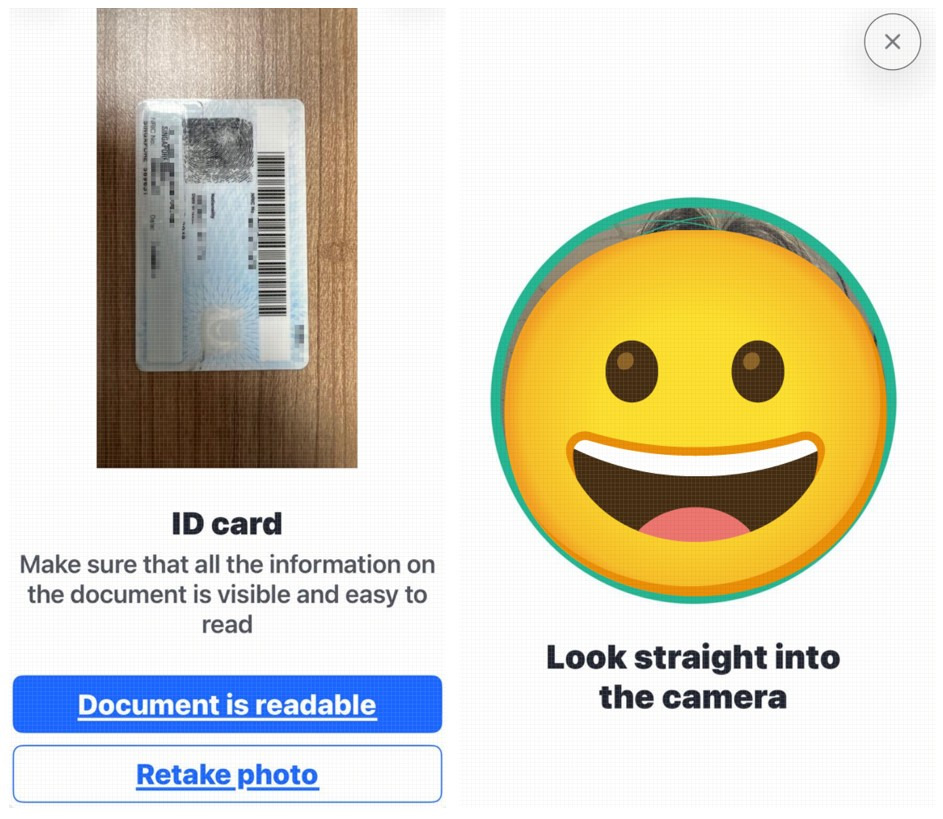
9️⃣ Once submitted, the document review will take approximately 2 minutes.
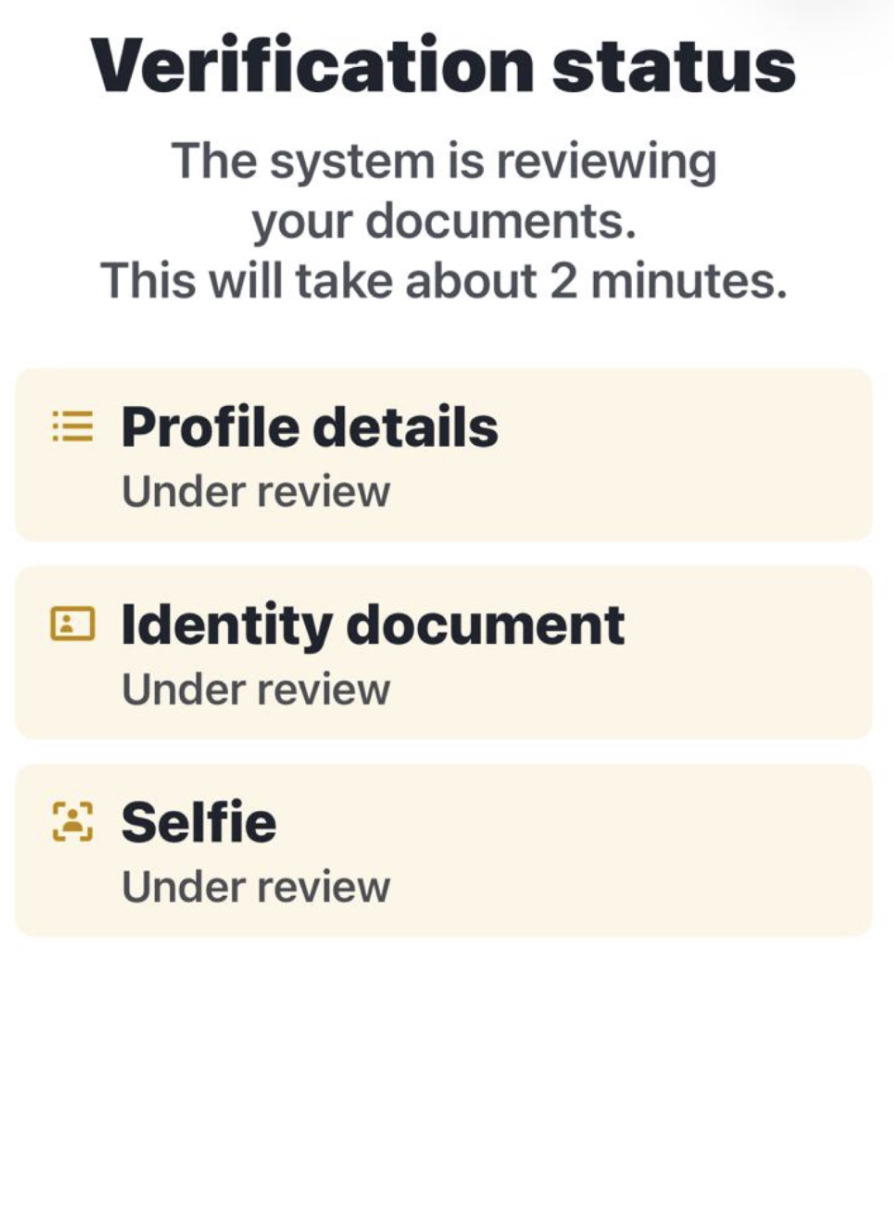
🔟 Once the review is complete, your KYC verification is complete. 🙂
Don't hesitate to get help if you need it!