🖐 Welcome, trader!
Welcome to Tethermax, the #1 crypto exchange cashback platform.
Invest an average of 3 minutes and 30 seconds
to find out how much more you paid in fees on Bybit!
♾️ TetherMax Official Website
🖐Curious about Tethermax benefits?
① Up to 20% off on trading fees!
Regular account: Maker fee 0.02%, Taker fee 0.055%
Tethermax account: Maker fee 0.02%, Taker fee 0.044%
② 55% (Boost) of your paid fees are returned.
Effective fee after cashback: Maker fee 0.009%, Taker fee 0.0198%
🙏 Don't miss out on cashback!
Trading without cashback is like losing money.
We highly recommend you to get cashback.
🖐 How to Create a TetherMax Cashback Account!
📌 Don't have an ID available for verification?
No worries! The TetherMax Team has a solution.
Simply transfer your existing KYC verification to your cashback account!
① Log in to your existing KYC-verified account.
② Transfer your KYC verification to your cashback account. That's it!
If you need any assistance, feel free to contact us anytime.
🙋🏻♂ TetherMax Customer Support is available 24/7, 365 days a year!
[KYC Transfer]

1️⃣ Click the profile icon in the upper-left corner of the home screen.
2️⃣ Click "Verified."
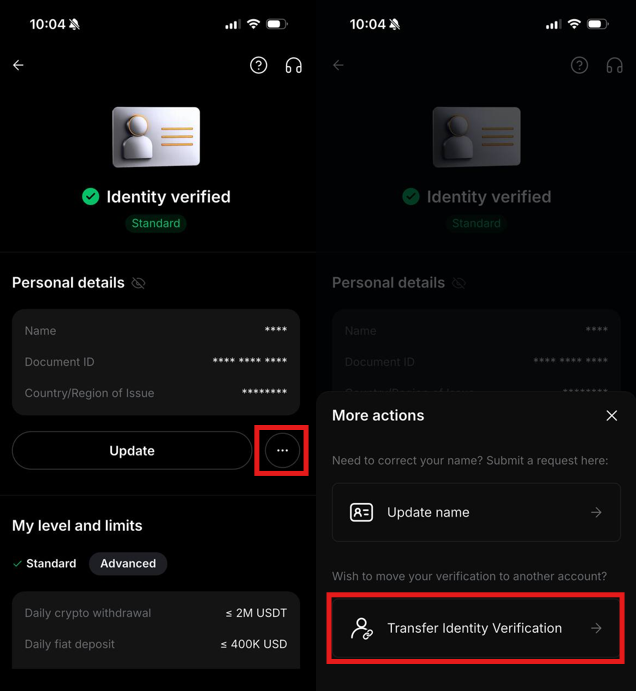
3️⃣ Click the [...] button next to [Update].
4️⃣ Select [Transfer Identity Verification] at the bottom.
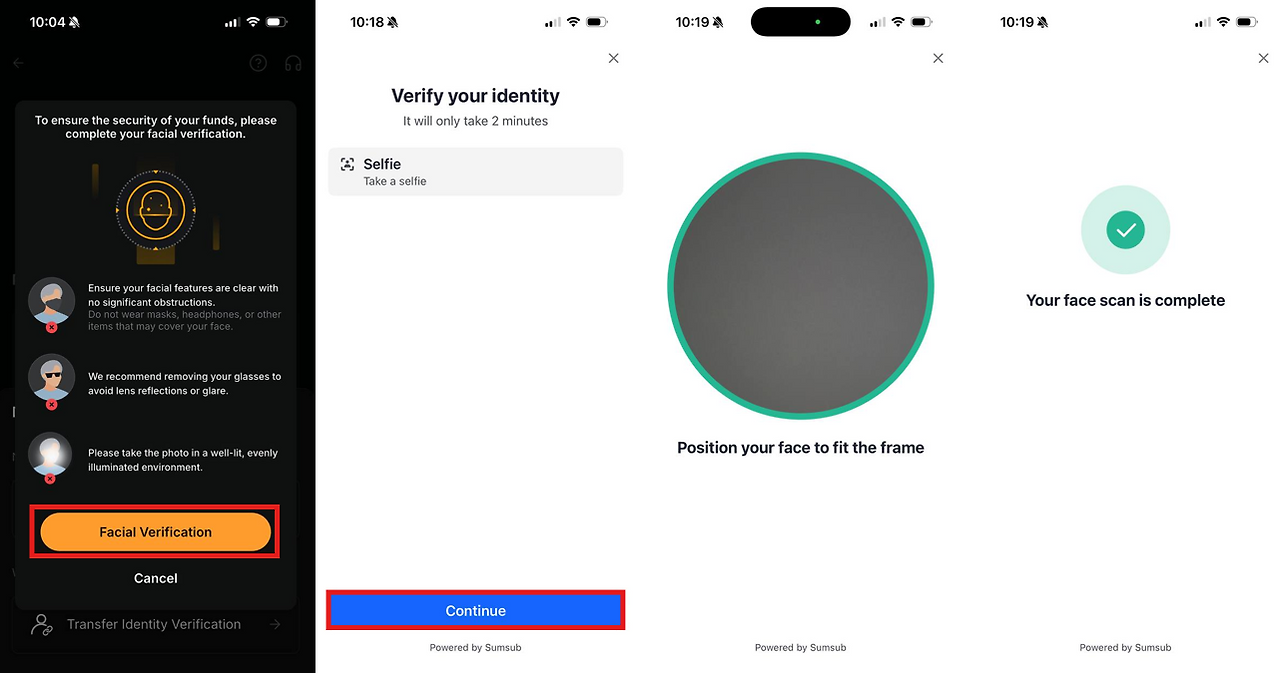
5️⃣ Click [Facial Verification].
6️⃣ Click [Continue] and complete the facial verification process.
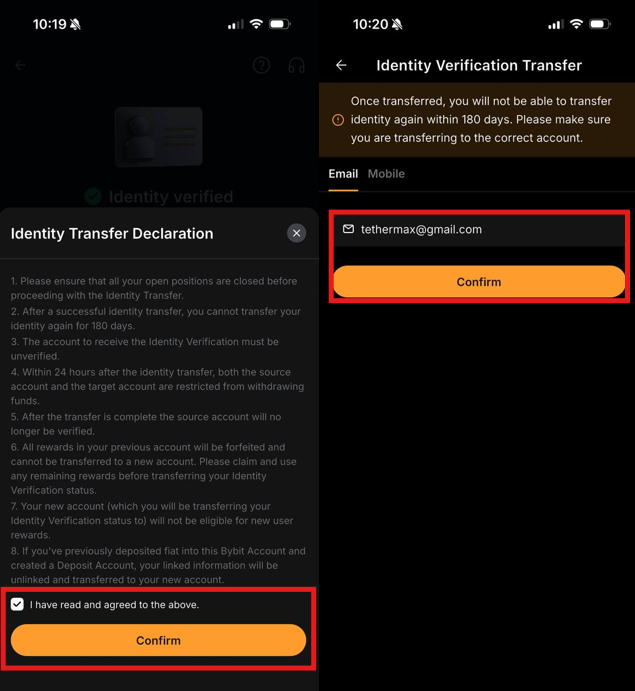
7️⃣ Review the important notices and click [Confirm] if you agree.
8️⃣ Enter the email address of the new account that will receive the KYC verification. Then, enter the 6-digit verification code sent to that email address.
9️⃣ Log in to your cashback account and check your KYC verification status!
Need help? Get assistance without the wait!
🙋🏻♂ Contact TetherMax 24/7 Customer Support